Reformatting 180 recipes with AI: rebuilding daphneoz.com
,4 min read
daphneoz.com is Daphne Oz’s home on the web, and recipes are the heart of it. There are 180 of them, from her cookbooks and her kitchen, and people don’t just read them. They cook from them, often from a printed page.
When we rebuilt the site, the design direction came from Daphne’s team. Our job was everything underneath it: bringing the WordPress build up to date, and fixing the part readers touch most, the recipes themselves.
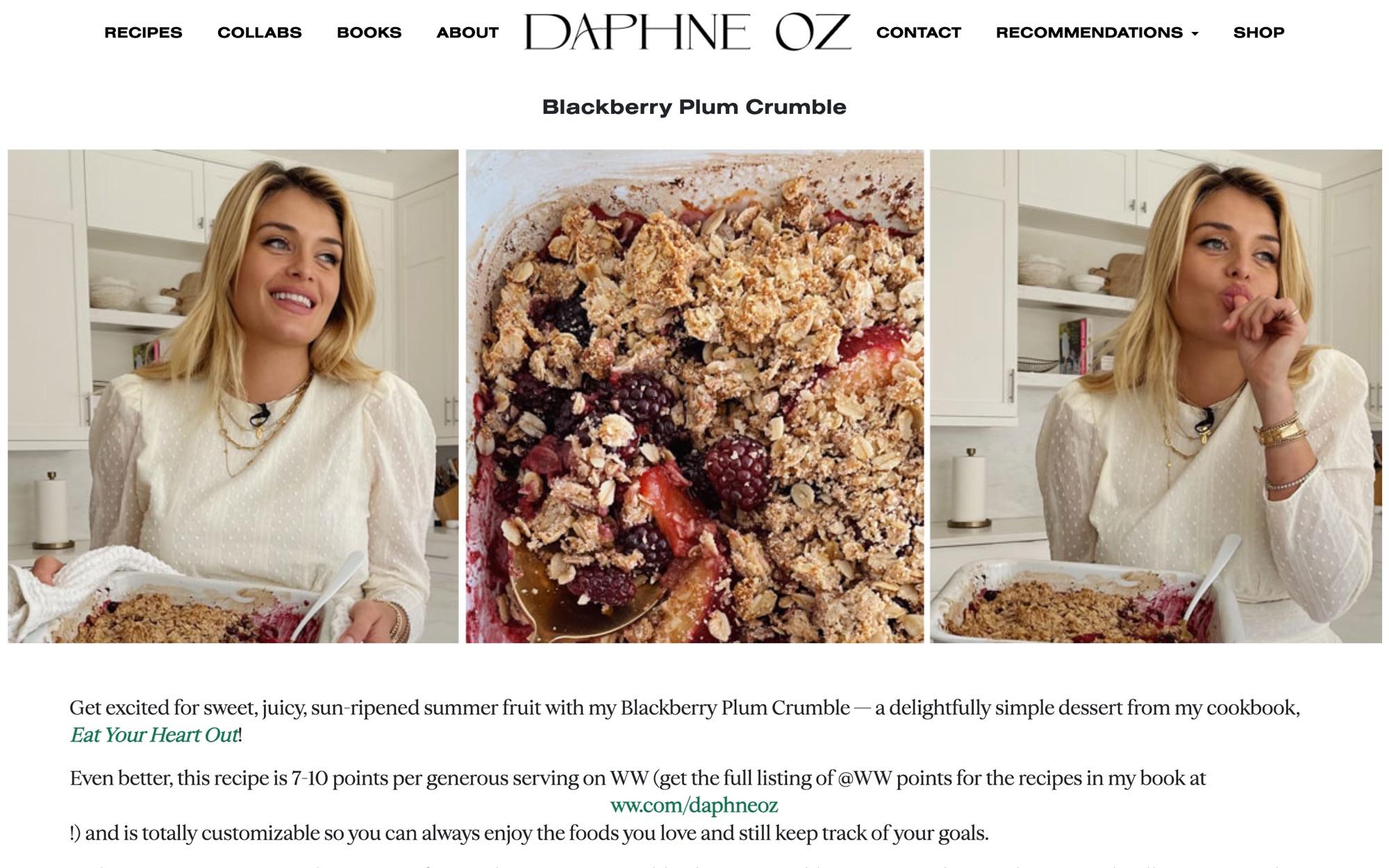
The problem: recipes that were really just paragraphs
On the old site, each recipe was a single block of rich text inside a regular blog post. Ingredients, steps and notes were all just formatted paragraphs.
That works fine on screen, until you need the content to behave like a recipe:
- You can’t filter or search by anything that isn’t a word in the text.
- You can’t give a reader a favorites list.
- And printing is a mess. A browser prints the whole page: the story, the photos, the ads, the newsletter popup. Ingredients that were really one long paragraph came out jumbled together.
For a site where people cook from the screen and the printer, that last one is the problem that matters.
The fix: a recipe system, not a page template
We built a custom WordPress plugin, Recipe Management, that turns recipes into real, structured content:
- A recipe content type with its own fields, so ingredients and instructions are data, not formatting.
- Filtering and search across the whole collection.
- Favorites, so readers can keep the recipes they come back to.
- Building blocks for the rest of the site: a recipe listing, a filter, the latest recipes and a favorites view, each one a shortcode the team can drop into any page.
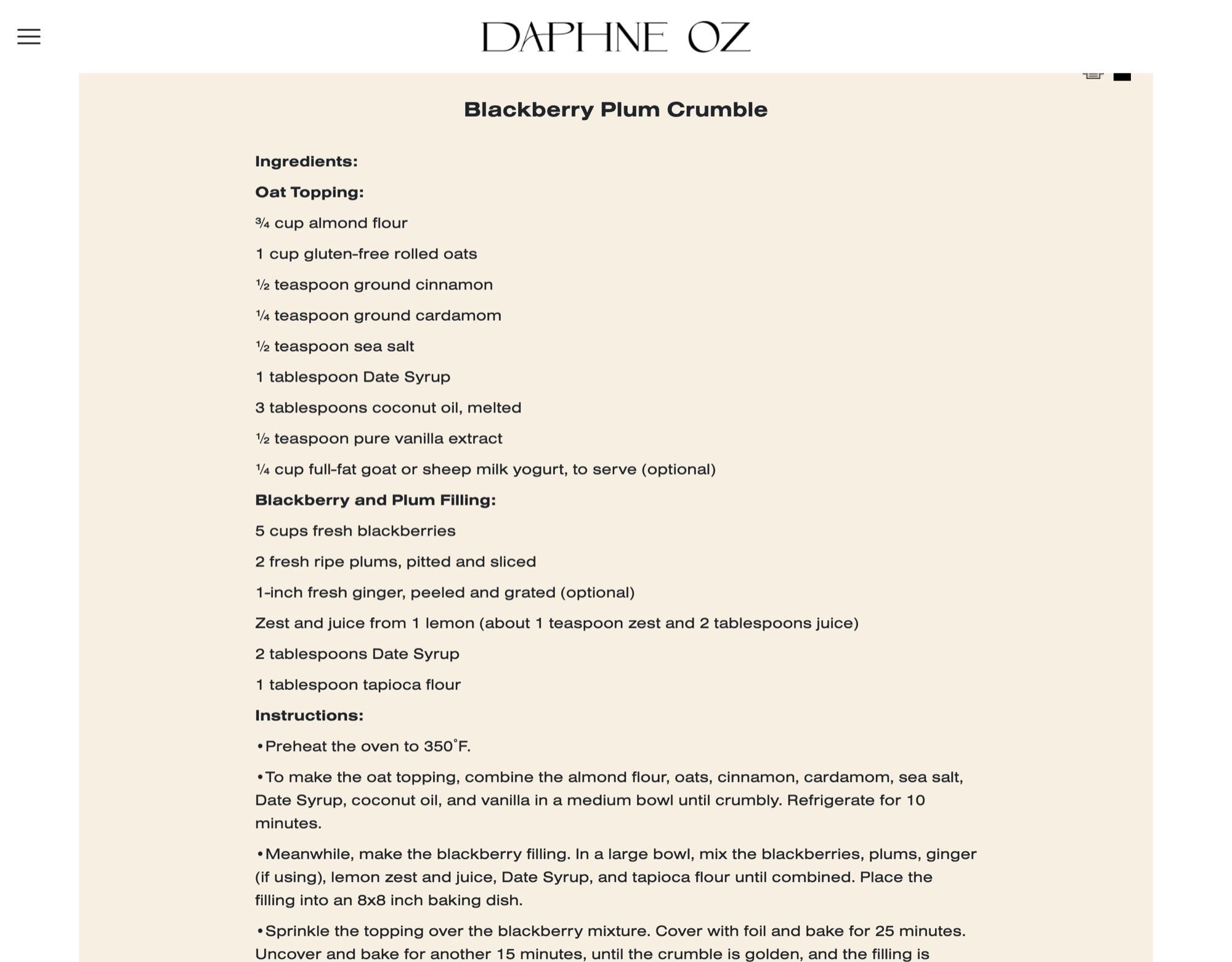
Moving 180 recipes without breaking any of them
A new structure is only useful once the content is in it, and that meant converting 180 recipes written over years, by different hands, in slightly different shapes.
This is where AI earned its place. We used Claude to work through the conversion: reading each recipe’s old block of text, pulling out the ingredient groups and the steps, and mapping them into the new fields. Then we automated the fix across the entire collection instead of hand-editing 180 posts one at a time.
The part that mattered most was the checking. Every converted recipe had to look right on screen and in print, so we QA’d the output across the whole set, not a sample. A recipe that printed with a missing ingredient would have been worse than one that printed messily.
One page, every time
The print button is the feature readers will never think about, which is exactly the point.
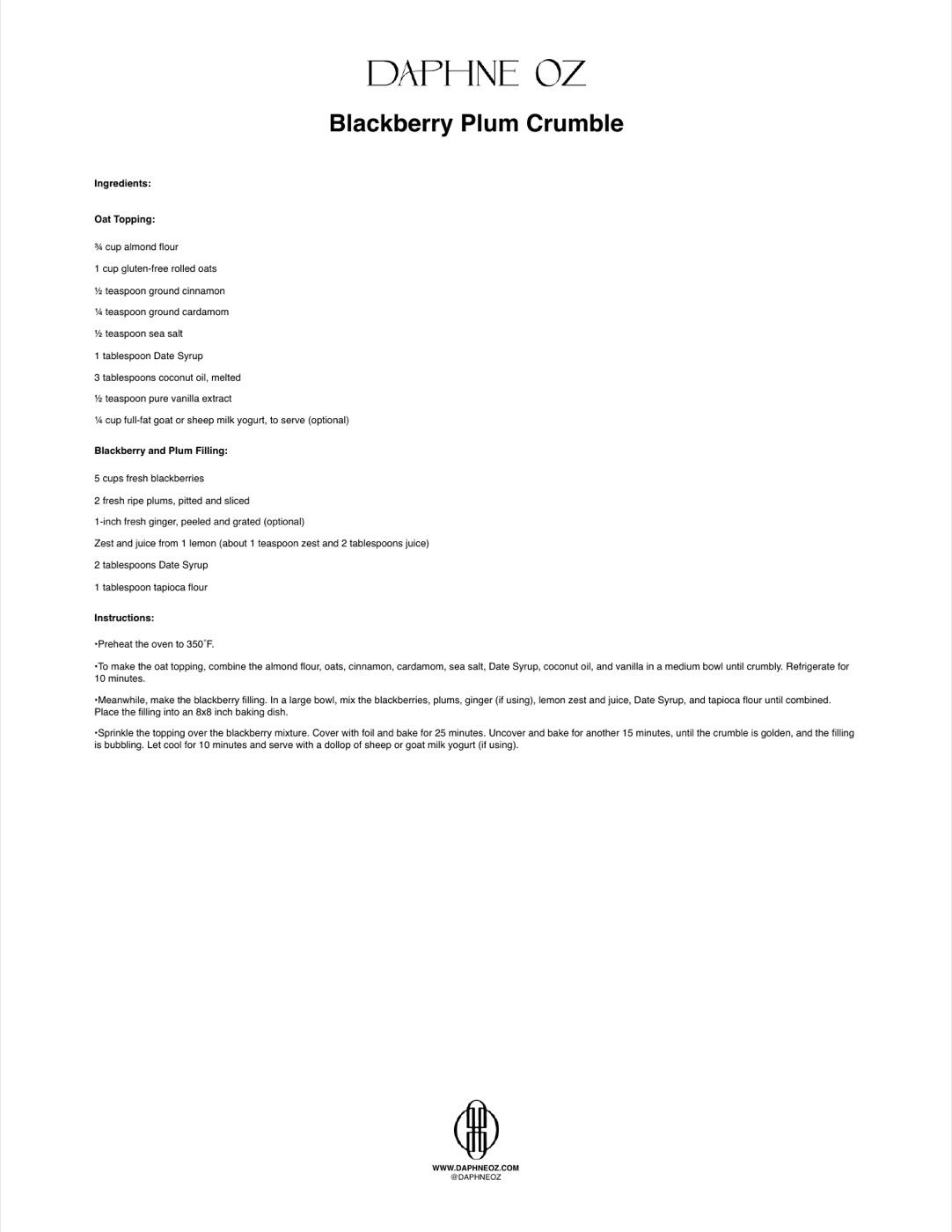
Instead of printing the web page, the plugin builds a print-only version of the recipe: the Daphne Oz wordmark, the title, the ingredients one per line, the steps, and a small branded footer with her website and handle. No photos, no ads, no popups, no navigation. US Letter, readable type, nothing extra.
Getting there took one unglamorous fix that every developer who has built print features knows: Safari and Edge handle the print dialog differently from Chrome, so the print window has to wait until the dialog closes before it closes itself. Miss that and the button simply doesn’t work for a big share of readers.
The rest of the build
Underneath the recipes, the site is now on current versions: WordPress 6.8, PHP 8.2 and WPBakery 8.4. A few smaller fixes add up:
- Recipes share well. When someone texts or posts a recipe link, the preview shows that recipe’s own photo instead of a generic site image. We also worked around an iPhone Messages quirk that dropped the preview image entirely.
- The old site is archived, not deleted. The previous theme is kept intact so nothing from years of content is lost.
What this one taught me
None of this is flashy. It’s a recipe card and a print button.
But the cleanup was where AI changed the math. Converting 180 recipes by hand is weeks of tedious, error-prone work that nobody wants to fund. With AI doing the reformatting and a person checking every result, it became a short project with a better outcome than doing it manually would have produced.
That’s the version of AI I trust most: not replacing the judgment, but making the boring, essential work cheap enough that you actually do all of it.